

The fastest way to bring your carrier’s voice into Teams.
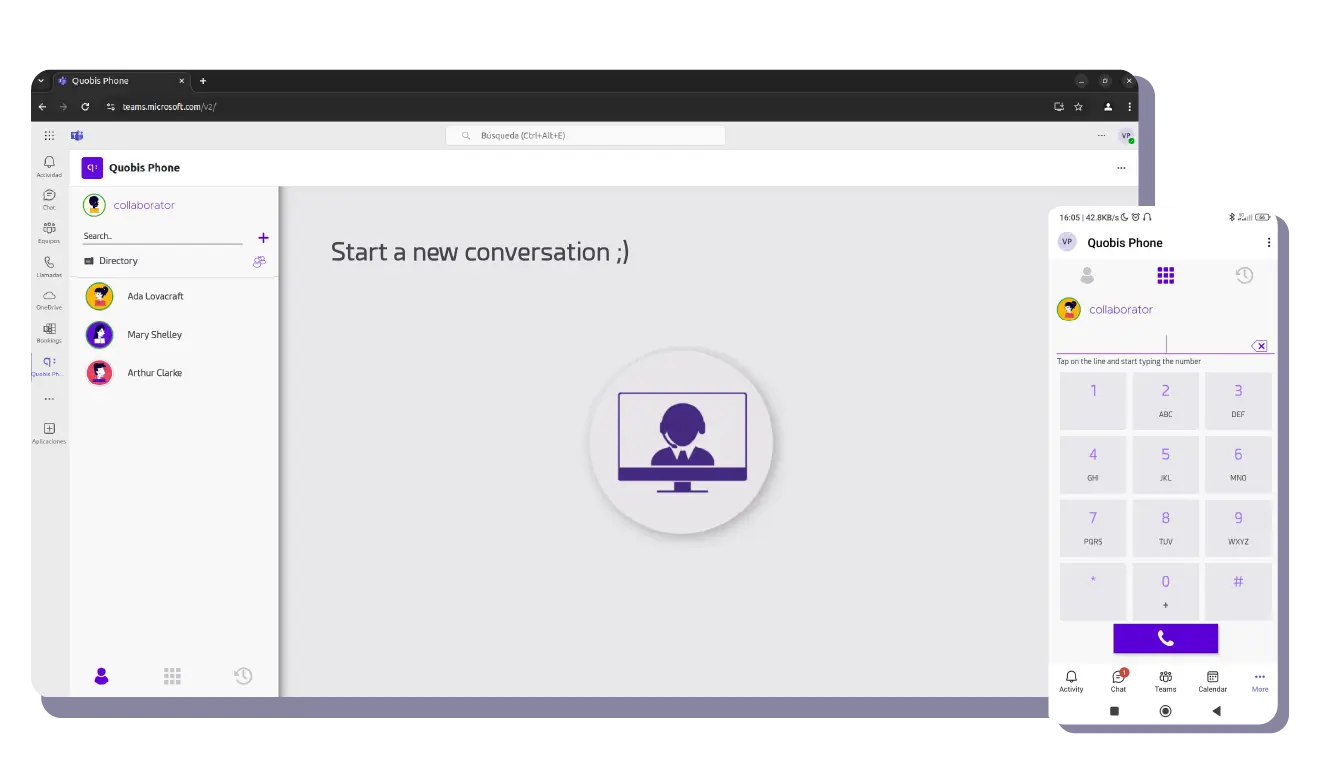
Quobis Phone for Microsoft Teams is a purpose-built application that runs inside the Microsoft Teams client. It connects directly to your existing telephony infrastructure — your PBX, your SBC, your carrier’s network — and delivers a complete corporate phone experience without routing calls through Microsoft’s cloud voice services.
No Teams Phone licenses. No Calling Plans. No Operator Connect complexity. Just a Teams app that turns your existing voice investment into a modern, integrated endpoint.

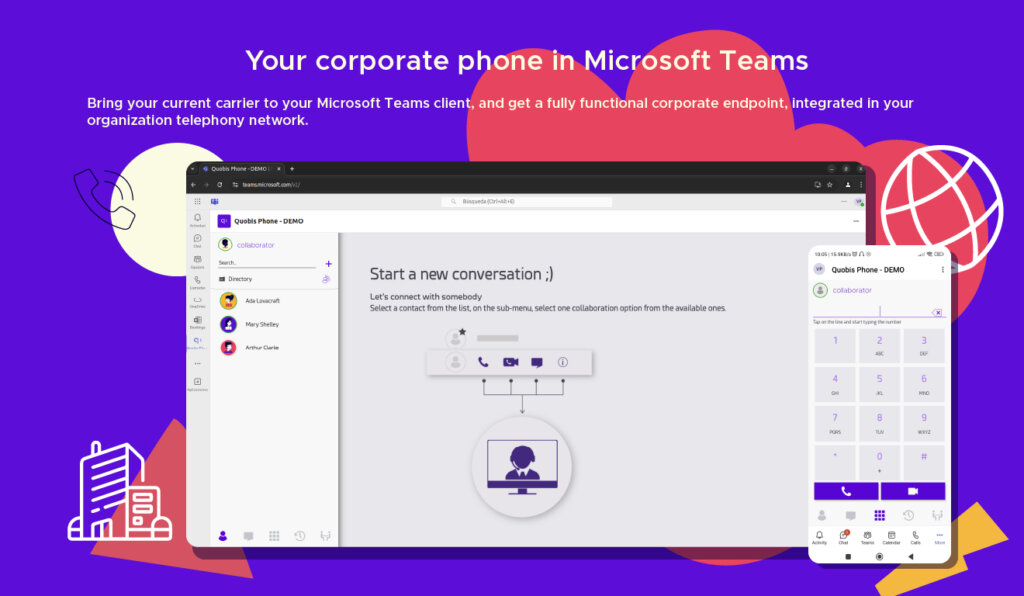
Your corporate phone in Microsoft Teams
Bring your current carrier to your Microsoft Teams client, and get a fully functional corporate endpoint, integrated in your organization telephony network.
Quobis phone
Enterprise telephony features in Teams
Internal and external calling
Place and receive calls to any destination — whether it’s a colleague on an internal extension or an external number on the PSTN. Calls between Quobis Phone users are free, regardless of their location. All from the Teams interface, all through your existing voice infrastructure.
PSTN calls
Make and receive calls to any landline or mobile number directly from Teams, using your existing carrier and SIP trunks. No Microsoft voice path involved.
Internal extensions
Dial colleagues by their corporate extension, just like on a traditional PBX. Same short-dial habits, now inside Teams.
Conferencing
Communicate with multiple contacts at the same time, without worrying whether they are internal or external callers.
Smart dialpad and multiple identities
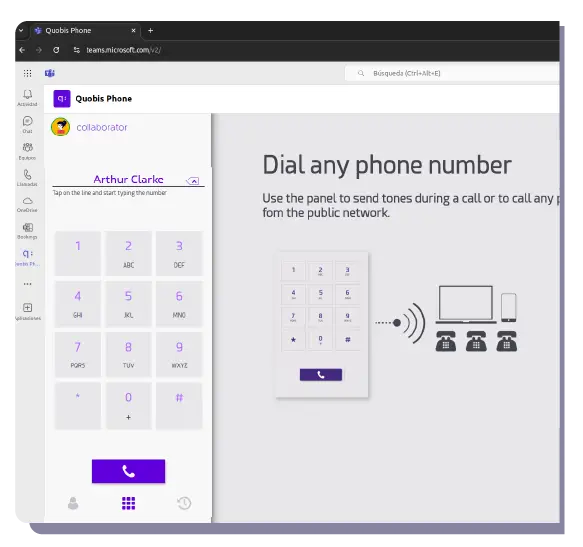
One single dialpad to find any contact and call with the right identity. Search by name, dial by extension or full number, and switch between your personal DDI, a group identity or a short code — all in one place.
User ID & Name Search
Start typing a name — “Mary Shelly” — and the dialpad finds the contact in the corporate directory instantly.
Group ID
Call a team directly — for example, “Marketing team” — without knowing individual extensions.
Phone + extension
Reach an external contact’s extension in one step, such as “+34 986911644 5011”.
Custom DDI
Use an alternative number that is easier to remember or adapted to a specific business context.
Short code
The fastest way to reach an internal contact — just dial “5011”.
Call handling and supervision
All the call management tools your users expect from a professional desk phone — now available natively inside Teams. Handle live calls with the same flexibility as a dedicated terminal, without leaving the Teams interface.
Attended and blind transfer
Redirect a live call to another user — either announcing it first (attended) or sending it straight through (blind). Works the same for internal and external calls.
Call hold
Put any active call on hold and resume it when ready. The caller hears your configured music or message while waiting.
Boss-secretary
It allows certain calls to be passed through to another person first, who will provide the caller with initial attention, before reaching their final destination.
Call recording
Record calls on demand or automatically, stored in your own infrastructure. Useful for compliance, training, or quality assurance.
Music on hold
Play custom audio or messages to callers while they wait on hold or in a queue. Fully configurable from your telephony platform.
Contact center-style flows
Handle shared inbound traffic with the same tools you’d expect from a dedicated contact center — queues, routing logic and automated menus — without deploying a separate platform.
Call queues
Distribute incoming calls across a group of agents with configurable routing strategies, wait rules and overflow handling.
IVR menus
Let callers navigate options and reach the right department or service before speaking to a person.
Auto-attendant
Greet and route incoming calls automatically based on time of day, caller identity or dialed number.
Corporate directory and smart dialpad
Give users access to the contacts they need without leaving Teams. Corporate, external and personal contacts can be available from the same calling experience, with centralized provisioning for business directories.
Corporate contacts
Keep company directories centrally managed and ready to use from the Teams phone interface.
External and personal contacts
Let users reach customers, suppliers and personal contacts from the same place they manage business calls.
Keep your carrier. Keep your infrastructure.
Bring your own carrier
Your existing SIP trunks, carrier agreements and numbering plans work as they are.
Hybrid architecture support.
Deploy alongside physical phones, other softphones or the standalone Quobis Phone app — each user group gets the endpoint that fits their workflow.
No Microsoft voice licenses required
Eliminate Teams Phone, Calling Plan and Operator Connect license costs.
Infrastructure-friendly
Integrates with any PBX, SBC or carrier network, regardless of vendor or generation.
Technological sovereignty — even inside Microsoft Teams
While Quobis Phone for Microsoft Teams integrates with the Microsoft Teams interface, the voice processing, call routing and telephony logic remain under your organization’s control — not Microsoft’s.
- Voice traffic stays in your network. Calls are routed through your infrastructure, not through Microsoft’s cloud voice services.
- Data governance. Call data, recordings and logs remain under your organization’s policies and jurisdiction.
- No dependency on Microsoft’s voice stack. You use Teams as a collaboration workspace; your telephony remains independent and sovereign.
- European technology. No dependencies on non-EU technology stacks for the voice layer — aligned with European digital sovereignty strategies.

Bring your own carrier

A new channel for service providers
For telecom operators and service providers, Quobis Phone for Microsoft Teams opens a direct path into the Microsoft Teams ecosystem.
- Expand your voice network into Teams. Offer your enterprise customers a branded telephony endpoint inside their Teams client.
- Distribute through the Teams marketplace. Your branded app, available for installation directly from the Microsoft Teams app store.
- Build customer loyalty. Add value to your voice services by meeting enterprise users where they already work.
- White-label ready. Customizable branding — your logo, your colors, your identity — on the endpoint your customers use every day.
For organizations where Teams is the workspace — but not the phone system
- Enterprises and large organizations that use Microsoft Teams for collaboration but want to keep their existing telephony provider and infrastructure.
- Public administrations that need Microsoft Teams integration but require sovereign, standards-based telephony under their own governance model.
- Organizations with hybrid communication environments where Teams users coexist with non-Teams users, physical phones and other endpoints across different sites and departments.
20 years of telecom engineering