

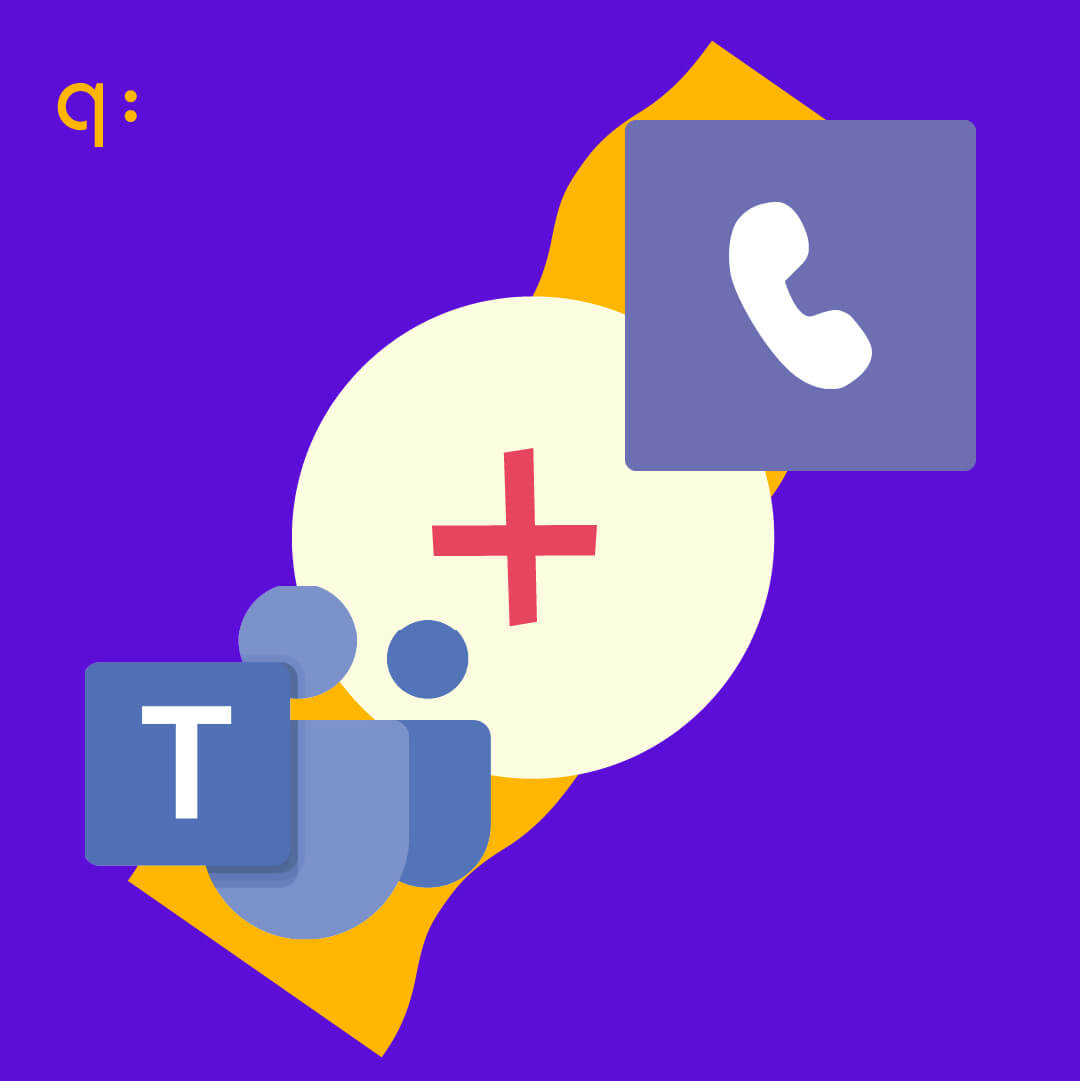
In recent years, we have witnessed the massive consolidation of UCaaS (Unified Communications as a Service) solutions, with Microsoft Teams leading the way. With more than 320 million active users worldwide and 93% of Fortune 100 companies using it, Teams has evolved from just a chat tool to become the core of corporate telephony.
However, for this platform to be truly effective, it must be able to “break the silo” and connect with the rest of the world: the Public Switched Telephone Network (PSTN). At Quobis, we have spent over 15 years connecting legacy technologies based on SIP with state-of-the-art cloud solutions based on WebRTC. Our goal is simple: to connect them all without leaving anyone behind.
Voice interconnection formulas in Microsoft Teams
Microsoft Calling Plans
Microsoft acts as your comprehensive telephone operator. They sell you the numbers, the minutes, and the platform. There is no physical infrastructure in your office. Total dependency on Microsoft (100%). You are “captive” to their cloud, their billing, and their agreements with third-party countries.
Operator Connect
This is a managed interconnection where you choose an operator from a catalog within Teams. Setup is “click and go” via a web portal. Provisioning and management must go through the Microsoft administration center. Being a “closed” interconnection, you have little control over exactly how calls are routed.
Teams Phone Mobile
A mobile operator (like Telefónica or Vodafone) integrates your mobile number directly into the Teams core. Your mobile “is” a Teams extension at the network level. Although the operator is local, call intelligence is delegated to Microsoft Teams Phone. If the service fails, features like legal recording or transfers stop working even if the mobile phone has coverage.
Direct Routing (Cloud SBC)
You connect Teams to any operator using a virtualized SBC (Session Border Controller) in the cloud (Azure, AWS, or the provider’s cloud). You can change operators (BYOC) or SBC vendors, but you still need the “Teams Phone” license.
Direct Routing (Local SBC + SBA)
You install physical hardware (SBC) on your premises. You include an SBA (Survivable Branch Appliance), a small piece of software that keeps calls alive if the internet is cut off. The risk shifts to physical access to the hardware. According to the CRA, you are responsible for patching and updating that hardware to avoid vulnerabilities.
Integrated Softphone (Quobis Phone)
A Microsoft-certified application installed from the marketplace that uses WebRTC technology and a voice infrastructure totally independent of Microsoft. You only use Teams as a visual “shell.” You do not need Microsoft voice licenses. It is the most sovereign solution: if Teams goes down, you open the same app in a browser and continue calling.
Why integrate PSTN voice into Microsoft Teams?
Many corporate users already use Teams for internal meetings, but 92% of them still do not use this interface to communicate with any phone on the public telephone network. Voice communication between Teams users is native and free, but PSTN (traditional telephony) is essential for:
- Lack of suitable devices: Accessing calls when the user only has a landline.
- Emergency calls: Contacting services like 112 or 911.
- Contact Center: Managing incoming calls from customer service.
Although often considered “legacy” technology, PSTN calls are currently the most universal voice channel, allowing any user with a mobile or landline phone to make and receive calls. Furthermore, the phone number retains its importance as an identifier and can influence perception (for example, using local numbers to convey an image of proximity).
Key benefits of voice interconnection in Microsoft Teams:
Implementing a unified telephony solution based on platforms like Microsoft Teams offers a range of strategic and operational advantages that transform how organizations manage their communications:
- Tool Consolidation and Simplified User Experience:
- Total Unification: A single client (application) seamlessly and natively integrates all the communication and collaboration tools needed for daily operations.
- Integrated Functionalities: This includes persistent chat, high-quality virtual meetings (audio, video, and screen sharing), document management and access to shared files (integration with SharePoint/OneDrive), and full corporate telephony functionality (internal and external calls, voicemail, call forwarding).
- Increased Productivity: By reducing constant switching between multiple applications (context switching), employees experience greater efficiency and a more agile workflow.
- Total Mobility and Geographic Flexibility:
- Universal Access: Enables users to answer, make, and manage corporate calls from any device, whether it’s a desktop computer (PC/Mac), a tablet, or a smartphone.
- Native and Consistent Experience: The interface and functionalities remain consistent and optimized, regardless of the device, ensuring that service quality does not decrease outside the office.
- Teleworking and Remote Offices: Facilitates business continuity and remote work, allowing the corporate phone extension to accompany the user wherever they are, using their internet connection.
- Reduction and Optimization of Operational Costs:
- Elimination of Duplicated Infrastructure: Minimizes the need to maintain and update costly traditional PBX infrastructures (hardware, on-premises maintenance).
- Flexible Models (BYOC/Direct Routing): We offer the option to implement models such as Direct Routing or integrated third-party solutions (such as Quobis Phone, if applicable), which are crucial for cost savings. These allow you to maintain and leverage your current contracts and rates with voice service providers (carriers), eliminating the need to migrate or renegotiate existing SIP/voice contracts (Bring Your Own Carrier – BYOC).
- Lower Call Costs: Voice rates are optimized, and the platform’s capabilities for free internal calls are leveraged.
- Enhanced Corporate Security and Regulatory Compliance:
- Advanced Encryption by Default: All communications, including signaling traffic and media (audio and video), are rigorously encrypted by default.
- Standard Security Protocols: High-security industry protocols are used, such as TLS (Transport Layer Security) for signaling and SRTP (Secure Real-time Transport Protocol) for media flow (voice), ensuring the confidentiality and integrity of transmitted information.
- Regulatory Compliance: The platform facilitates compliance with various data privacy and security regulations, as access control and identity management (integration with Azure AD) are centrally managed under strict corporate policies.
Risks of integrating phone calls into Microsoft Teams
Integrating voice into Microsoft Teams offers undeniable productivity advantages, but from the perspective of European digital sovereignty, there are critical reasons to consider alternative or hybrid integration models that do not cede total control to a foreign platform.
Below are the reasons why a full or direct integration into the Microsoft ecosystem could compromise an organization’s technological sovereignty:
Critical Dependency and “Vendor Lock-in”
The widespread adoption of Microsoft Teams has led to an excessive reliance on a single US vendor. This concentration of power allows Microsoft to impose unilateral changes that affect the company’s sovereignty:
- Widespread price increases: As observed in 2025, the introduction of AI (Copilot) justified significant increases in licensing fees, forcing companies to absorb rising costs to maintain basic telephony services.
- Abuse of dominant position: The European Commission has investigated practices related to the Office 365 suite that restrict competition and force companies to adopt Teams even when they prefer other solutions.
Jurisdiction and Data Conflict (Cloud Act vs. GDPR)
Even though Microsoft offers “data residency” in Europe, data sovereignty remains in question:
- The US Cloud Act: This law grants US authorities access to data hosted by US companies in the cloud, regardless of whether those servers are physically located in the European Union or elsewhere. Public institutions veto:
- The European Data Protection Supervisor (EDPS) determined that the European Commission’s use of Microsoft 365 violated EU data protection law due to a lack of control over international data transfers.
Geopolitical and Service Continuity Risks
Digital sovereignty implies ensuring that essential services are not disrupted by external factors:
- Transatlantic tensions: There is a well-founded fear in Europe of potential disruptions to critical technology services due to changes in the political climate or trade tensions between the US and the European Union.
- Lack of sovereign redundancy: By integrating voice natively into Teams, if the Microsoft ecosystem experiences a global outage, the organization’s corporate telephony service is completely lost.
Dependency mitigation strategies for the use of Microsoft Teams as a telephony client in Europe
Digital sovereignty laws like the CRA do not prohibit the use of Microsoft Teams, but they do prohibit relying exclusively on it without a contingency plan. Sovereignty does not mean “isolation,” but rather autonomy. For critical infrastructure, using Teams without implementing the necessary safeguards poses a sovereignty risk, but using Teams with a resilient architecture is a strategic decision.
Microsoft’s efforts to offer a sovereign solution in Europe
It is undeniable that Microsoft is making significant efforts to adapt to the demands of European market sovereignty, primarily in response to various regulatory pressures:
- EU Data Boundary: This is Microsoft’s commitment to enabling its public and commercial sector customers in the EU and EFTA to process and store their personal data within Europe.
- Encryption and Key Control Options: Microsoft offers tools for businesses to not only encrypt their data but also control who has access to it.
- BYOK (Bring Your Own Key): Enables businesses to generate and manage their own encryption keys.
- Customer Lockbox: Ensures that Microsoft cannot access a customer’s content to perform service operations without the customer’s explicit and temporary approval.
- In Teams: Signaling and media encryption (TLS/SRTP) is mandatory, but for true sovereignty, many organizations prefer to manage these keys externally to the Microsoft ecosystem.
- Microsoft Cloud for Sovereignty: A public cloud solution that adds layers of control over data residency, operational autonomy, and legal sovereignty.
- Azure Local: Enables running Azure services on the customer’s on-premises infrastructure or at the edge. This is vital for applications requiring low latency or where data must never leave the company’s physical premises.
- Operational sovereignty layer through local partners: To comply with European standards, Microsoft collaborates with national operators such as Telefónica and Orange. This adds a layer of trust, as support, management, and technical operation are carried out by European personnel under local laws, mitigating the risk of access by foreign authorities.
- Mandatory interoperability: Driven by the EU’s Digital Markets Act (DMA), Microsoft has been forced to open its closed ecosystems and allow third-party messaging and voice applications to interoperate with Teams.
- Unbundled versions of Office: Following complaints of unfair competition (led by Slack/Salesforce), Microsoft had to separate the sale of Teams from its core suites (M365 and O365) globally by 2025.
Despite these efforts, full compliance remains unattainable for Microsoft (or any other American company) today. Under US law (such as the Cloud Act), a US company may sometimes be compelled to respond to legal requests from the US government. This makes the use of Microsoft Teams incompatible with highly regulated industries.
Supply chain diversification: Redundancy and resilience
When critical infrastructure uses voice from Microsoft Teams, redundancy is not just a technical option, but an operational resilience requirement under the CRA and NIS2 Directive frameworks.
Depending on how you connect voice, Microsoft offers different levels of “security”:
- In Calling Plans: Redundancy is 100% transparent to you. If it fails, there’s nothing you can do. Microsoft offers a 99.9% to 99.99% SLA, but this is a financial commitment (you get your money back), not a technical one (you don’t lose service).
- In Operator Connect: This relies on the operator’s redundancy. Microsoft requires operators to have direct and redundant connections to its data centers (Azure Peering Service Voice).
- In Direct Routing: Here, responsibility is shared. Microsoft allows you to configure multiple SBCs in its portal. If “SBC 1” doesn’t answer, the Microsoft cloud routes the call to “SBC 2”.
Independent monitoring of the service (MaaS) for CRA compliance
The CRA requires constant vulnerability monitoring.
Relying exclusively on the vendor’s own monitoring tools (in this case, Microsoft) creates a conflict of interest and an operational blind spot. The CRA emphasizes that for a system to be resilient, monitoring must be independent and capable of auditing the service provider.
Our Monitoring as a Service detects anomalous behavior in SIP signaling and media traffic in real time.
Signaling Control as a Risk Mitigation Strategy in Microsoft Teams
EIn any Microsoft Teams-based telephony deployment (Calling Plans, Operator Connect, or Direct Routing), call control and SIP signaling depend on Microsoft’s cloud infrastructure.
This introduces a significant operational risk from a service continuity perspective:
- Dependence on the Teams cloud service: If the Microsoft platform experiences a significant outage or the tenant loses access to the service, Teams-based telephony becomes unavailable.
- Dependence on cloud-based call control: Even with a robust on-premises operator and a properly sized SBC, if Microsoft’s SIP proxies are unresponsive, users cannot make or receive calls through Teams.
For any organization that chooses to continue using Microsoft Teams but doesn’t want to compromise its digital sovereignty, the technical challenge is clear: How can the Teams interface be used for collaboration without relinquishing full control of voice communications? The answer lies in signaling control. In the world of telecommunications, signaling is the set of protocols (such as SIP) that establish, manage, and terminate a call.
The challenge of service survival: What happens when Teams “goes down”?
If a company relies entirely on Microsoft infrastructure for its native telephony, an outage in the Teams service or a loss of WAN (Internet) connection leaves the organization without communication. For critical sectors (hospitals, banking, utilities), this is not just a productivity issue; it’s a national security risk.
To mitigate this, there are several key architectures that allow for maintaining operational autonomy:
Survivable Branch Appliance (SBA)

SBA is a specific capability for Direct Routing that allows basic voice functions to be maintained when the Teams client cannot connect to Microsoft cloud services due to a WAN (Internet) outage.
It is deployed as a service within a certified SBC. In the event of an outage, the Teams client enters a “survival mode” that allows calls to be made and received over the local PSTN connection managed by the SBC.
During a network failure, SBA only supports basic functions. Essential features such as call queues, the IVR (Interactive Voice Response), advanced transfers, and multimedia collaboration are lost.
Sovereignty Context: Although it mitigates the risk of total communication loss in the face of transatlantic tensions or network outages, it remains a system dependent on certification and third-party software under Microsoft standards.
Media Bypass
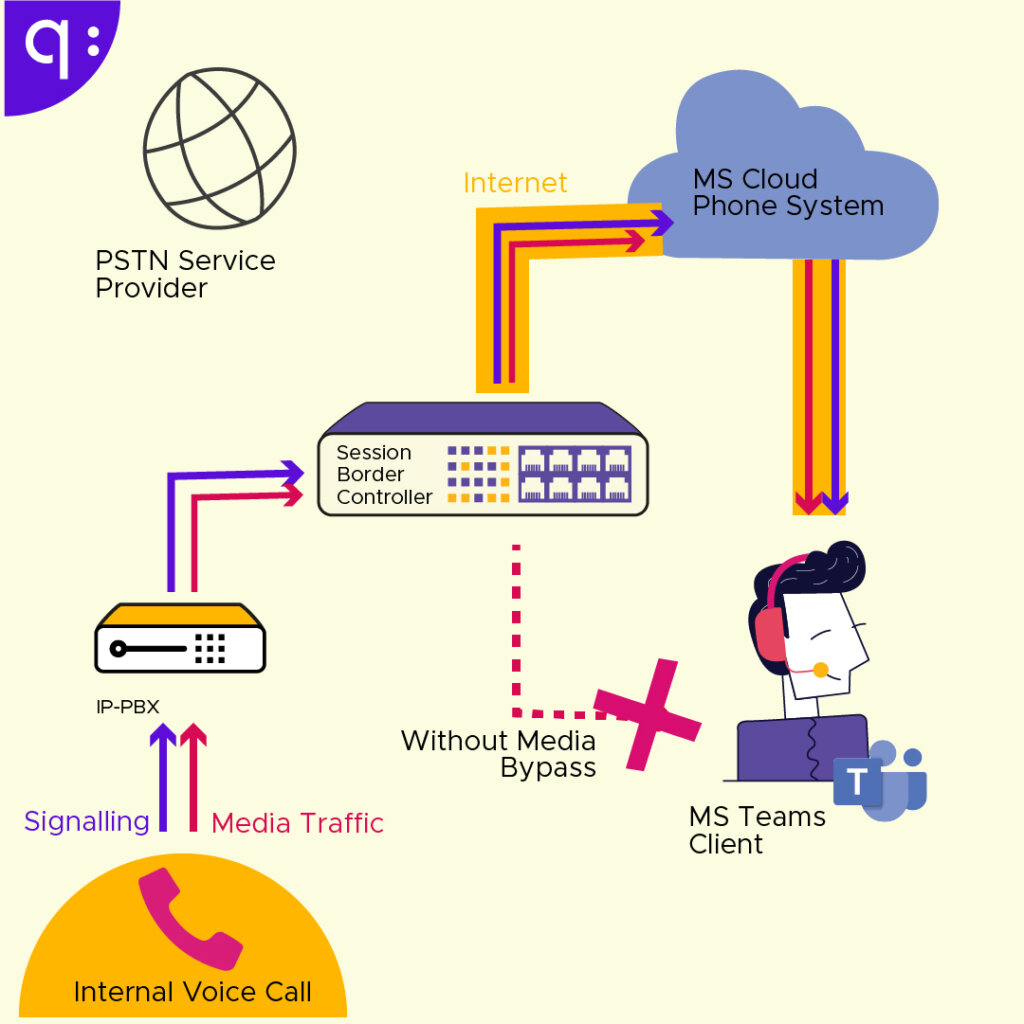
Traditionally, in a Teams call, the audio (media) stream travels from the user to the Microsoft cloud and then back to the company’s SBC.
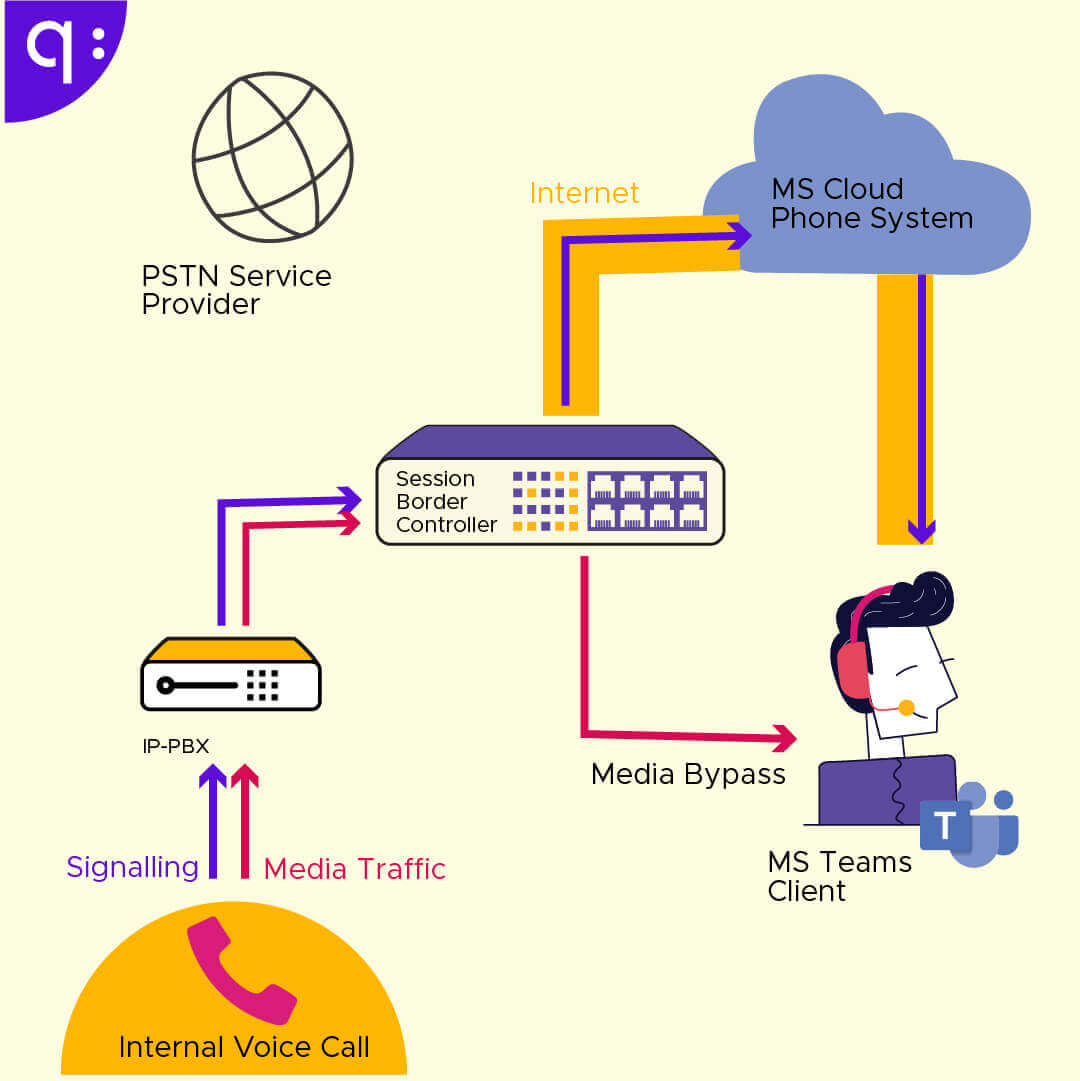
Media Bypass allows audio to travel directly between the user and the local SBC, bypassing the Teams cloud. By eliminating intermediate “hops” to Microsoft data centers, latency, jitter, and packet loss are dramatically reduced.
From a sovereignty perspective, Media Bypass is crucial because it ensures that the actual content of the conversation (the audio packets) remains within the network controlled by the company or its local operator. This limits the exposure of sensitive information to infrastructure in third countries.
Although the voice stream (media) is local, the “intelligence” that enables the call resides on Microsoft’s servers. If those servers are unavailable, the Teams client cannot process the signaling to establish or maintain communication, so the call drops or fails to connect. To address this limitation, Microsoft offers the Survivable Branch Appliance (SBA), which, as we’ve seen, is a workaround that only provides very basic functionality and maintains the dependency on a Microsoft-certified architecture.
Local PSTN Fallback
Local PSTN Fallback is a Session Border Controller (SBC) mechanism that redirects calls directly to the local PSTN network when the connection to Teams fails.
The local SBC constantly monitors the status of the Microsoft SIP proxy. If it detects a failure, it automatically redirects voice traffic to local SIP endpoints, softphones, or analog/ISDN backup lines.
It’s essentially a backup plan outside of Teams. This strategy ensures that the company can continue operating at the voice level even if the entire Microsoft ecosystem is inaccessible, keeping signaling and media within the organization’s controlled network.
Operator-level failover
Carrier-level failover (also called network call forwarding or disaster recovery) is the ability to redirect a call before it reaches Microsoft’s infrastructure.
If the Teams system is unavailable, you can configure incoming calls to be automatically forwarded to a mobile phone number or an external PBX. This is a type of “last-mile” redundancy.
Its operation varies depending on the interconnection solution used:
- Direct routing: You can send the call to a mobile number, an analog emergency PBX, or another SBC in a different region.
- Operator Connect: Failover depends entirely on the capabilities the operator has made available on their portal. Most allow you to configure “Failover” through the operator’s control panel (separate from Teams).
- Teams Phone Mobile: Since the number is a mobile SIM, failover is inherent. If Teams fails, the call comes through as a standard mobile voice (GSM) call to the terminal.
- Microsoft Calling Plans: You can only configure what Microsoft allows in their control panel. There is a feature called “Unanswered calls” or “Call redirection,” but if the Microsoft core goes down completely, the engine that handles this call forwarding may also be affected.
Quobis Phone: Because it doesn’t use Microsoft’s “Phone System,” failover is managed by the Quobis platform. You can have a scenario where, if the Teams client fails, the call is delivered in a web browser or a proprietary mobile app, bypassing the entire Microsoft ecosystem.
Quobis solutions and services for integrating telephony into Microsoft Teams
Quobis has extensive expertise and a catalog of solutions and services designed to complement, integrate, and manage voice in Microsoft Teams, divided into:
- Proprietary software products
- Managed infrastructure
- Advanced professional services
Applications
Software solutions
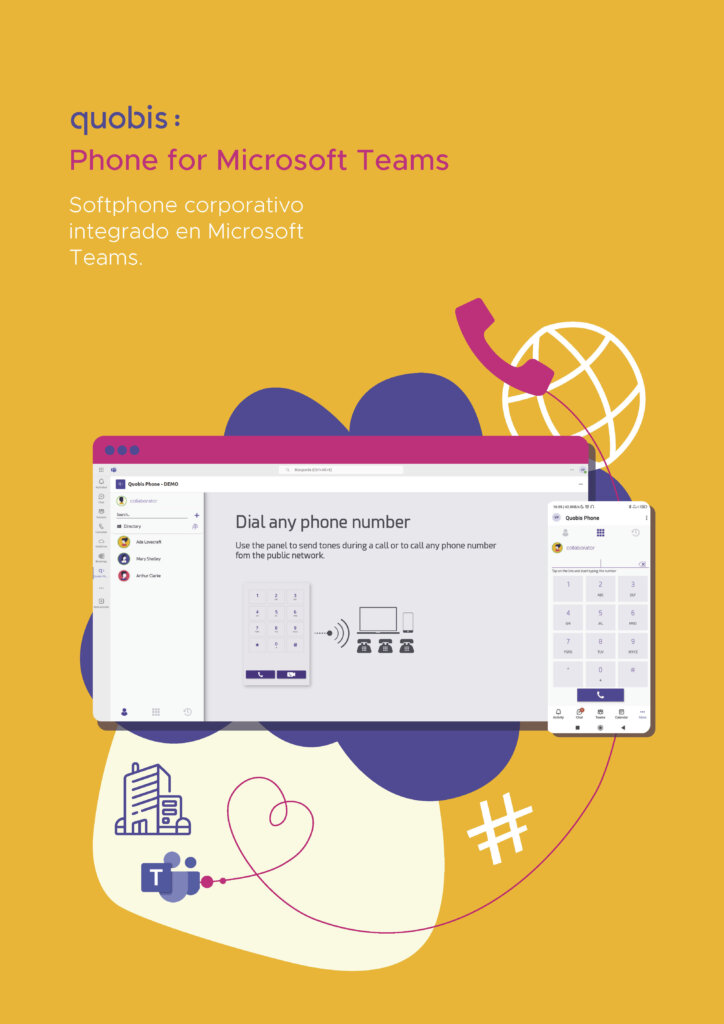
Quobis Phone for MS Teams
It’s a white-label corporate softphone that integrates as a tab within the Teams application. It allows users to make and receive PSTN calls or calls to corporate extensions using the company’s existing phone provider (BYOC model), without the need to pay for the expensive Microsoft Teams Phone license and while isolating voice traffic from potential Microsoft cloud outages.
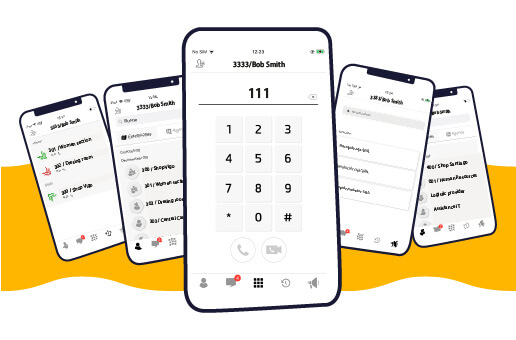
Quobis Collaborator
Actúa como complemento a Teams, ofreciendo una alternativa de comunicaciones unificadas rentable para empleados “deskless” (trabajadores de campo) o usuarios externos que no cuentan con licencias de Microsoft Office o Teams. Se integra con la misma red telefónica (PBX/SBC) para que toda la empresa esté conectada.
network elements
Infrastructure and Managed Services
SBC as a Service (SBCaaS)
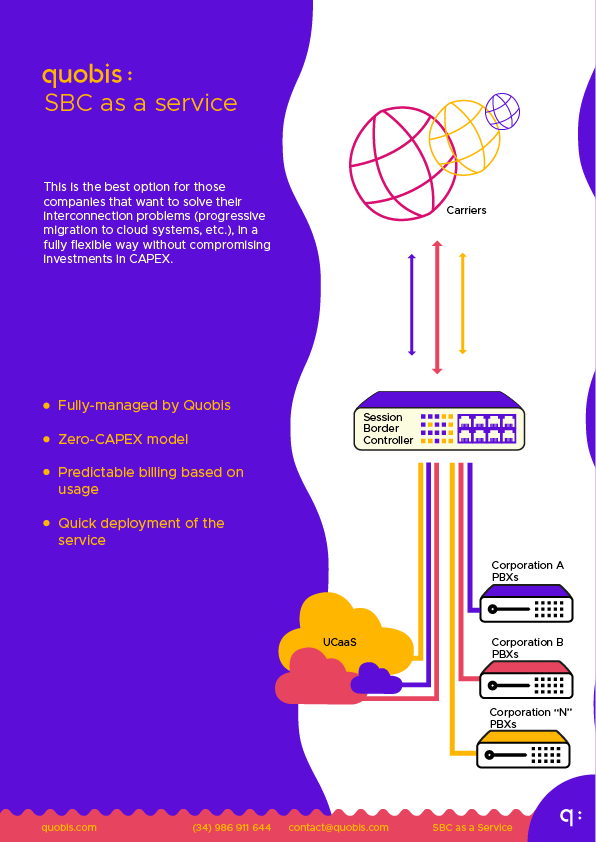
Microsoft-certified Session Border Controller (SBC) hosted on the Microsoft Azure cloud. It is offered as a multi-tenant, pay-as-you-go (OPEX) service, eliminating the need for companies to deploy physical hardware to enable Direct Routing or Operator Connect.
Monitoring as a service
A comprehensive cloud-based proactive monitoring service for voice networks (SIP/WebRTC). It enables early troubleshooting, bottleneck detection, and visualization of call behavior and quality to and from Teams.

Open source PBX
Whether on-premises or in the cloud, it’s possible to integrate a PBX into the architecture as the core of the corporate voice network. Quobis enables interoperability and SIP routing to seamlessly connect this PBX (based on open-source technologies) with the Microsoft Teams environment. This way, the PBX continues to manage business intelligence (call queues, IVR, voicemail) while users utilize Teams or Quobis Phone as their endpoint.